What is a VPN and how does it work?
A complete guide to virtual private networks
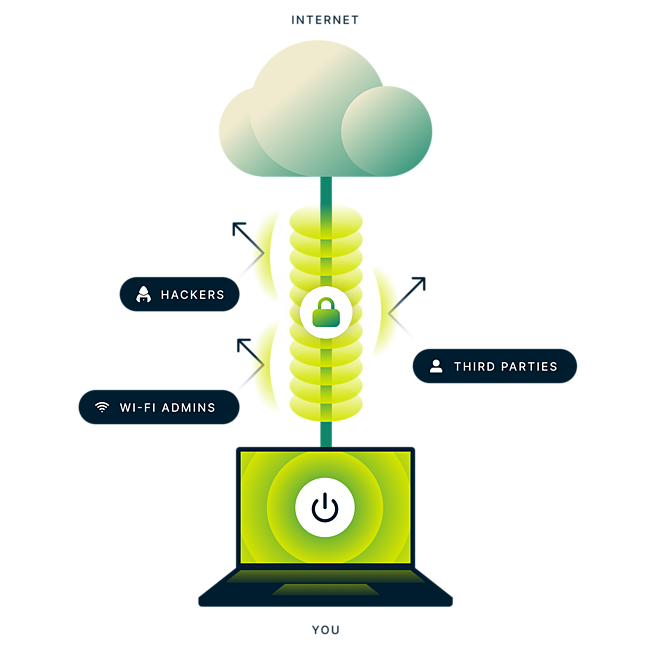
A VPN, or virtual private network, is a secure tunnel between your device and the internet. VPNs encrypt your data to protect you from cyber risks.
Why do you need a VPN? Key reasons and use cases
-
![TrustedServer technology lozenge visual]()
While traveling
Exploring the world doesn’t mean you have to give up the online privacy and security you get at home. A VPN lets you stay safely connected to your accounts and services while on the go.
-
![Speedometer.]()
While streaming
VPN encryption helps you enjoy stable streaming with enhanced privacy. Say goodbye to ISP content-based throttling and securely stream your favorite shows and movies with ease.
-
![Use ExpressVPN on up to 14* devices at once]()
While on public Wi-Fi
Public Wi-Fi hotspots in cafes, airports, and parks can expose your personal information to cyber threats. A VPN encrypts your connection, protecting your data from hackers and other snoops.
-
![TrustedServer technology lozenge visual]()
While gaming
A VPN protects against DDoS attacks. It can also help to reduce ping and minimize lag for smoother gameplay, depending on how your ISP routes your connection.
-
![Speedometer.]()
While file-sharing
Peer-to-peer file sharing often reveals your IP address to strangers, exposing your downloads to potential tracking. A VPN keeps your IP address hidden, providing greater privacy and peace of mind.
-
![Use ExpressVPN on up to 14* devices at once]()
While shopping
Some online stores may display varying prices. Using a VPN can help keep your connection private while browsing or shopping online.*


*ExpressVPN is intended for lawful, personal use only and should not be used to violate the terms of service of any website or online service. Users are responsible for complying with all applicable laws and service agreements.

What is the purpose of a VPN?
The primary purpose of a VPN is to create a secure, private connection between your device and the internet. By encrypting your data and masking your IP address, a VPN ensures your online activity stays hidden from hackers, stalkers, and other snoopers. Whether you’re looking to protect your privacy in general or browse securely on public Wi-Fi, a VPN empowers you to take control of your digital experience.
Who benefits the most from using a VPN?
A VPN isn’t just a tool for tech-savvy individuals—it’s a powerful solution for anyone who values online privacy and security. Here are some groups that benefit the most:
-
![Travelers Use a VPN to stay securely connected to your favorite services and protect your data on public Wi-Fi networks while on the go.]()
Travelers
Use a VPN to stay securely connected to your favorite services and protect your data on public Wi-Fi networks while on the go.
-
![Remote workers A VPN is essential for securely accessing company systems, protecting sensitive work data, and maintaining productivity while workin...]()
Remote workers
A VPN is essential for securely accessing company systems, protecting sensitive work data, and maintaining productivity while working remotely.
-
![Streaming Avid streamers use VPNs to access content with enhanced privacy—even while traveling— and enjoy a stable streaming experience without...]()
Streaming
Avid streamers use VPNs to access content with enhanced privacy—even while traveling— and enjoy a stable streaming experience without ISP content-based throttling.
-
![Gamers VPNs can help reduce lag and protect gamers against targeted attacks like distributed denial of service (DDoS) attacks.]()
Gamers
VPNs can help reduce lag and protect gamers against targeted attacks like distributed denial of service (DDoS) attacks.
-
![Privacy advocates Anyone concerned about data tracking or hackers benefits from a VPN’s encryption and the increased privacy it provides.]()
Privacy advocates
Anyone concerned about data tracking or hackers benefits from a VPN’s encryption and the increased privacy it provides.
-
![Online shoppers Savvy shoppers use VPNs to avoid price discrimination and secure their financial data during transactions.]()
Online shoppers
Savvy shoppers use VPNs to avoid price discrimination and secure their financial data during transactions.






No matter your online habits, a VPN empowers you to browse, stream, and connect with peace of mind.
How does a VPN work?
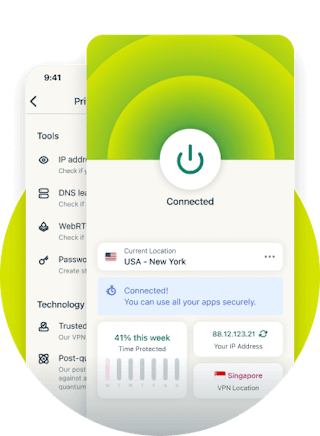
A VPN works by routing your internet connection through a secure server and encrypting your data. Instead of connecting directly to websites or services, your online activity passes through this encrypted tunnel, keeping your data safe from hackers and other third parties. By masking your IP address with that of the VPN server, a VPN also helps to shield your general location and identity, enhancing your privacy even more.
What is a VPN connection?
A VPN connection is the secure link established between your device and a VPN server. It ensures that all your internet traffic travels through an encrypted tunnel, protecting it from malicious actors. This connection masks your IP address (which represents your general location), replacing it with the server’s details, letting you browse more privately and securely.
By encrypting your data and masking your identity, a VPN connection helps you stay safe on public Wi-Fi, secure your remote work connection, and access the internet with added peace of mind.

Understanding VPN tunneling
VPN tunneling is the process of securely transporting your online data through an encrypted pathway between your device and a VPN server. This tunnel hides your internet activity from snoops, including hackers, those using the same network, and Wi-Fi owners. By encapsulating and encrypting your data, tunneling ensures that, even if intercepted, your information remains unreadable to outsiders.
Tunneling also masks your IP address, giving you greater privacy. With modern VPNs like ExpressVPN, advanced tunneling protocols such as Lightway and OpenVPN optimize speed, security, and reliability, delivering a seamless and protected browsing experience.

How encryption secures your data
Encryption is the backbone of VPN security, transforming your data into an unreadable format during transit. This ensures the information remains indecipherable, even if intercepted, without the correct decryption key. VPNs use advanced encryption standards, such as AES-256, to protect everything from your browsing activity to sensitive personal details. Whether on public Wi-Fi or a private network, encryption shields your data from unauthorized access, providing peace of mind online.
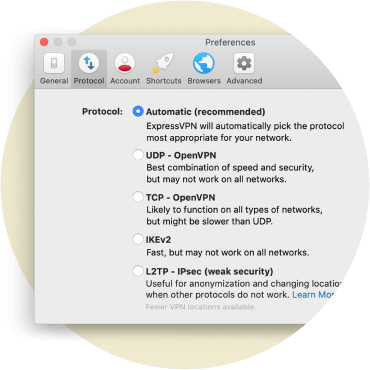
VPN protocols and their role
VPN protocols determine how your device connects to a VPN server and the methods used to secure your connection. Popular protocols like OpenVPN, IKEv2, and ExpressVPN’s proprietary Lightway all balance speed, reliability, and security. They establish encrypted tunnels, manage data integrity, and authenticate users to prevent breaches. Using the right protocol can optimize VPN performance for streaming, gaming, or secure browsing, adapting to your specific needs.

The role of VPN servers
VPN servers act as intermediaries between your device and the internet, routing your encrypted data and replacing your IP address with their own. This provides enhanced privacy by hiding your IP address-related location and identity. With robust security features and diverse server locations worldwide, VPNs can help you get a fast, private, and secure online experience.
Without a VPN vs. with a VPN
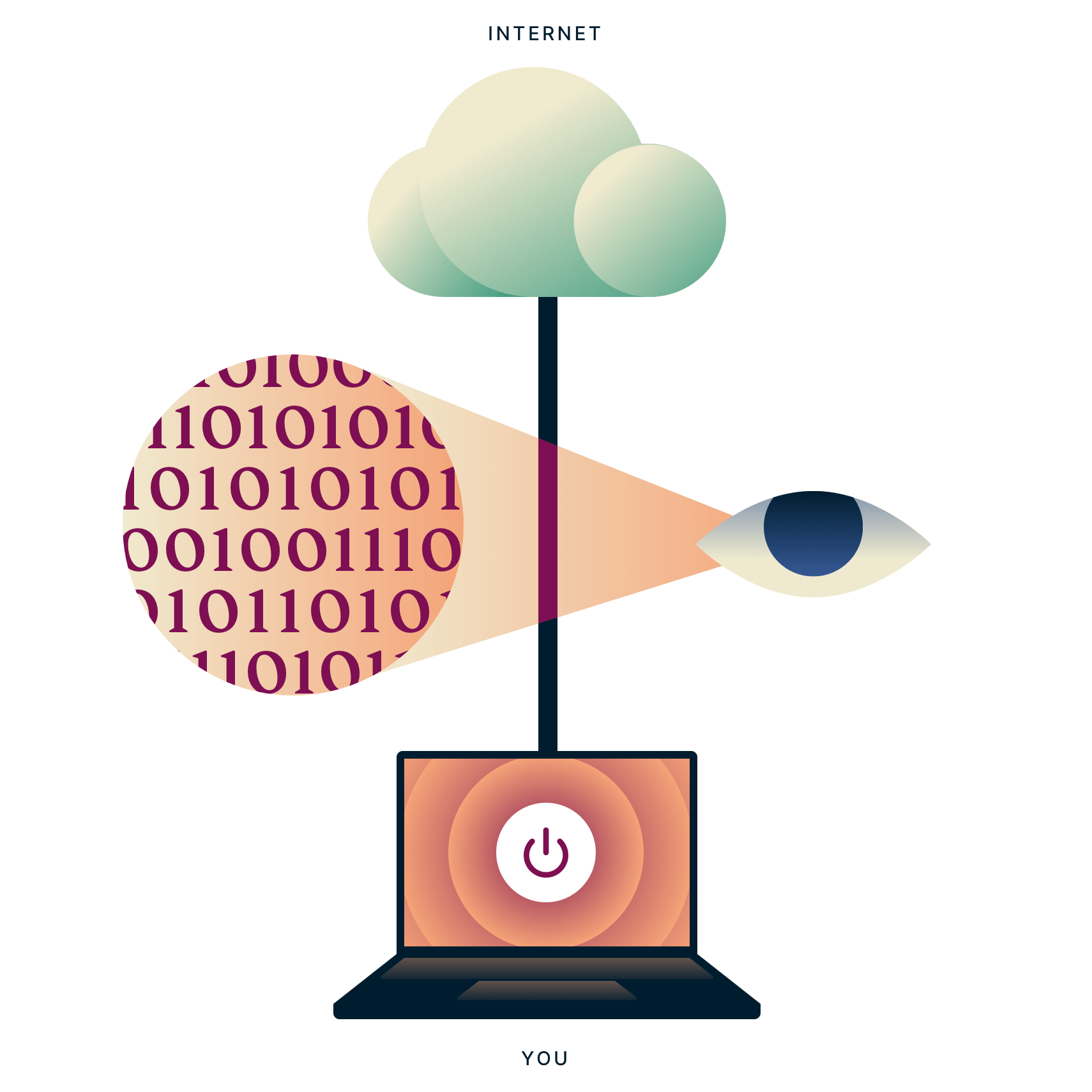
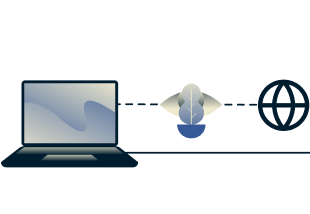
When you connect to the internet with a VPN, the VPN app on your device (also called a VPN client) establishes a secure connection with a VPN server. Your traffic still passes through your ISP, but your data is encrypted and the VPN server looks like the final destination. The websites you visit can no longer see your original IP address—only the IP address of the VPN server, which many other users share and which changes regularly.
-
Not Connected Connected
-
![Homepage Uae]()
![Laptop with an unsecured connection to the internet with an eye looking at traffic data between the laptop and the internet.]()
Types of VPNs
VPNs come in various types, each designed to meet specific use cases and user needs. Understanding the differences helps you choose the right VPN for your goals, whether protecting personal data, securing enterprise networks, or accessing cloud resources.
-
![Personal VPN A personal VPN is designed for individual users. It encrypts internet traffic, hides your IP address, and provides secure access to on...]()
Personal VPN
A personal VPN is designed for individual users. It encrypts internet traffic, hides your IP address, and provides secure access to online content. This type of VPN is ideal for privacy-conscious users, frequent travelers, and anyone seeking online privacy and security on their devices.
-
![Mobile VPN A mobile VPN ensures a stable and secure connection on smartphones and tablets, even when switching between networks or experiencing int...]()
Mobile VPN
A mobile VPN ensures a stable and secure connection on smartphones and tablets, even when switching between networks or experiencing intermittent connectivity. A mobile VPN prevents disruptions to secure connections during handovers between Wi-Fi and mobile data.
-
![Remote-access VPN Remote workers commonly use remote-access VPNs to connect securely to their company’s network. A trusted VPN provides encrypted...]()
Remote-access VPN
Remote workers commonly use remote-access VPNs to connect securely to their company’s network. A trusted VPN provides encrypted access to corporate systems, ensuring data security and protecting sensitive business operations from a range of cyber threats.
-
![Site-to-site VPN Site-to-site VPNs connect multiple locations, such as branch offices and headquarters, over a secure tunnel. They enable seamless ...]()
Site-to-site VPN
Site-to-site VPNs connect multiple locations, such as branch offices and headquarters, over a secure tunnel. They enable seamless communication and data sharing across locations while protecting business data. Enterprises with multiple office locations often use site-to-site VPNs.
-
![Cloud-based VPN A cloud-based VPN offers secure access to cloud applications and services. These VPNs are managed by cloud providers, ideal for bus...]()
Cloud-based VPN
A cloud-based VPN offers secure access to cloud applications and services. These VPNs are managed by cloud providers, ideal for businesses that rely on cloud platforms. They provide scalability, simplified management, and strong encryption for cloud traffic.
-
![VPN gateway A VPN gateway is a dedicated network device or server that manages VPN connections between two networks. The gateway acts as a centrali...]()
VPN gateway
A VPN gateway is a dedicated network device or server that manages VPN connections between two networks. The gateway acts as a centralized point for managing and monitoring encrypted traffic, ensuring secure data exchange between corporate locations or external partners.

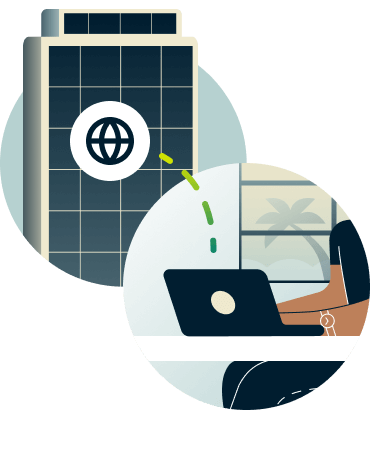

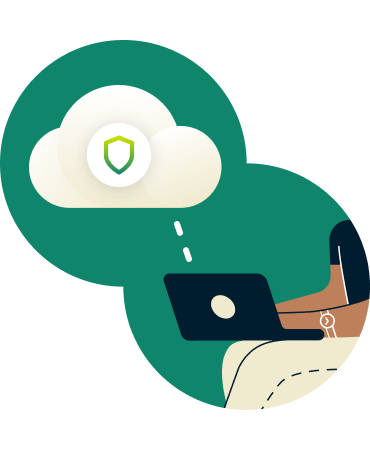
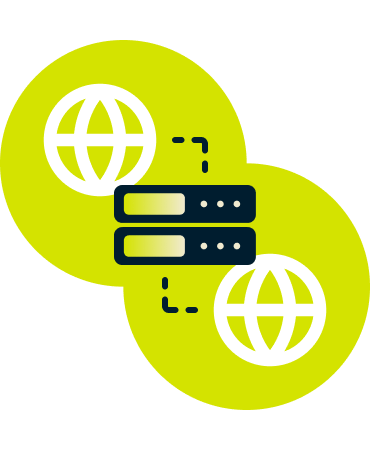
Each type of VPN serves a unique purpose, ensuring users and organizations can find a solution tailored to their specific security and connectivity needs.
Pros and cons of VPNs on different devices
A VPN provides tailored protection for all your devices, ensuring better online privacy and security, no matter what you’re using. From laptops to smartphones and routers, VPNs can adapt to your specific needs, letting you stay secure at home, at work, or on the move.
Here’s a breakdown of the pros and cons of using a VPN on different devices:
| DEVICE | PROS | CONS |
|---|---|---|
| Smartphones | - Ideal for securing public Wi-Fi connections - Convenient for on-the-go protection | - Can drain the battery faster - Limited speed on older devices |
| Laptops | - Offers full-featured VPN apps - Great for streaming and secure browsing | - Heavier CPU usage may affect performance in older models |
| Routers | - Secures all devices connected to the network - No need for individual device setup | - May require technical setup - Limited server switching |
| Tablets | - Easy to use for streaming and light browsing - Great for travel | - May experience performance issues with heavy tasks |
| Smart TVs | - Stream your favorite content privately - Protects media streaming apps | - May need manual configuration - No direct VPN apps for some models |
| Gaming consoles | - Shields against DDoS attacks - Helps access geo-restricted games and DLC | - Requires setup through a router or virtual VPN connection |
| Desktop PCs | - Full-featured VPN options for maximum control - Ideal for multitasking securely | - Consumes more power than mobile devices |
With ExpressVPN, setup is simple, and dedicated apps or guides are available for nearly all popular devices.
Download a VPN app for all your devices
A single ExpressVPN subscription lets you download a VPN for every popular platform. Set up ExpressVPN on multiple devices and use it on 14* at the same time.


What is the difference between a proxy and a VPN?

VPN vs. proxy: Which one should you use?
A proxy acts as an intermediary between your device and the internet, routing your traffic through a separate server to mask your IP address. While proxies are helpful for basic tasks like using search engines, they typically don’t encrypt your data, leaving you vulnerable to cyber threats.
In contrast, a VPN hides your IP address and encrypts all your internet traffic. This means your data is protected from hackers, ISPs, and other third parties, providing much more privacy and security.
Use a proxy if:
You need a quick, lightweight solution for bypassing minor restrictions.
Use a VPN if:
You want robust privacy, security, and the ability to protect sensitive data on any network.
How a VPN provides better security and privacy
A VPN uses advanced encryption to safeguard your data, ensuring hackers, stalkers, and other third parties cannot intercept it. It also prevents DNS leaks, shields your IP address, and offers a kill switch to block internet access if the VPN connection drops.
By comparison, proxies don’t encrypt your traffic, making them less secure for sensitive activities like online banking or file sharing. VPNs are an all-encompassing solution for protecting your online identity, no matter how you connect to the internet.
For everyday users, businesses, and anyone concerned about their digital privacy, VPNs offer a comprehensive and reliable layer of security that far surpasses a proxy’s capabilities.
Benefits of using a VPN
-
![Xv Icon Security]()
Protecting your privacy and security
A VPN safeguards your personal information by encrypting your internet connection, preventing hackers, advertisers, and even others on the same network from accessing your data. By masking your IP address, a VPN keeps your online activity private, ensuring that your browsing, messaging, and online transactions remain secure from malicious actors.
-
![Xv Icon Hide]()
Avoiding Price Discrimination
Online trackers and advertisers can follow you around the web, collecting data about your activity. This data is linked to your IP address to create a buyer's identity linked to you. Changing your IP address with a VPN disrupts this process and clouds their data with other VPN users’ activity.
-
![Xv Icon Wifi]()
Securing public Wi-Fi connections
Public Wi-Fi networks, such as those in cafes, airports, and hotels, are often unsecured, making them prime targets for hackers. A VPN encrypts your connection, securing your data even on these unprotected networks. This is particularly important when accessing sensitive information like banking details or logging into personal accounts while on the go.
-
![Xv Icon Laptop]()
Securing remote work and file sharing
A VPN is an essential tool for remote workers and businesses. It provides a secure connection to corporate networks and ensures that sensitive communications and file transfers remain private. By encrypting data, a VPN helps prevent unauthorized access, protect confidential files from cyber threats, and ensure secure collaboration across teams.
-
![Xv Icon Gaming]()
Enhancing online gaming
For gamers, a VPN offers several benefits, such as preventing DDoS attacks by masking your IP address and reducing lag by optimizing your connection.
-
![Xv Icon Youtube]()
Buffer-free streaming
ISPs can throttle your connection based on the type of online activity they detect. Streaming enthusiasts can use a VPN to avoid ISP content-based throttling and protect their privacy while watching movies, TV shows, and live sports.


How to choose the right VPN for your needs

What is a VPN provider, and why does it matter?
A VPN provider is the company that delivers your virtual private network service. They determine the quality, security, and reliability of your connection. The right provider prioritizes your privacy, offers robust security features, and ensures seamless performance—making them the backbone of your online safety.
Features to look for in a VPN
-
![Xv Icon Check]()
Encryption levels
Strong encryption is essential to protect your data. Opt for VPNs with advanced encryption protocols like AES-256, the industry gold standard.
-
![Xv Icon Check]()
Pricing and subscription options
Choose a VPN that offers transparent pricing with flexible subscription plans. Look for money-back guarantees so you can test the service risk-free.
-
![Xv Icon Check]()
Server coverage
The more servers a VPN offers across diverse locations, the easier it is to get a fast, stable VPN connection near you. Look for providers with a vast global network.
-
![Xv Icon Check]()
RAM-only servers
ExpressVPN’s RAM-only servers ensure no data is ever written to a hard drive, maximizing your privacy.
-
![Xv Icon Check]()
VPN configuration and compatibility
Whether using a smartphone, laptop, smart TV, or router, your VPN should be compatible with all your devices and support protocols like OpenVPN or WireGuard for flexibility and security.
-
![Xv Icon Check]()
No-logs commitment
The best VPNs have a strict no-logs policy, meaning they don’t collect or store your activity data. Always review their privacy policy to ensure they’re genuinely protecting your information.


How to evaluate a VPN’s performance
A good VPN balances speed, security, and ease of use. Test for minimal impact on your internet speeds, intuitive apps, and reliable connections that don’t drop. Independent reviews and user feedback can also help gauge real-world performance.
Choosing the right VPN is about finding a provider that aligns with your security needs, lifestyle, and budget.
Advanced VPN features explained
A VPN is more than just a tool for online privacy—it’s a powerhouse of advanced technologies designed to secure your data and enhance your internet experience. Here’s a deep dive into the advanced features that make VPNs effective.

Types of VPN connections
-
Dedicated VPN connections
These offer a private, exclusive IP address, making them ideal for accessing restricted networks or avoiding shared IP issues.
-
Dynamic VPN connections
Dynamic connections assign a new IP address each time you connect, enhancing your online privacy.
-
Peer-to-peer VPN connections
Perfect for file-sharing enthusiasts, P2P VPN connections provide optimized servers to ensure secure and efficient transfers.
-
Cloud-based VPN connections
A cloud-based VPN uses a virtual environment for scalable and reliable connections. Businesses often prefer this method for remote access.
VPN protocols: How they work
VPN protocols define how your data is encrypted and transmitted. Here are the most common ones:
-
OpenVPN
A trusted, open-source protocol offering a balance of speed and security, widely supported across platforms.
-
WireGuard®
A newer, lightweight protocol designed for top-tier performance and robust encryption.
-
IKEv2/IPSec
This protocol is known for stability during network changes and is great for mobile users needing reliable connectivity.
-
PPTP and L2TP/IPSec
While PPTP is fast and older, it lacks modern security. L2TP/IPSec offers more robust encryption but may be slower.
-
Lightway
ExpressVPN’s Lightway protocol is a lightweight, high-performance VPN protocol designed for speed, security, and reliability.
-
SSTP
Developed by Microsoft, SSTP is a reliable choice for bypassing firewalls and securing data, especially on Windows devices.
-
![What is a VPN client? The VPN client is the software or app you use to connect to a VPN server. It handles encryption, authentication, and connecti...]()
What is a VPN client?
The VPN client is the software or app you use to connect to a VPN server. It handles encryption, authentication, and connection management.
-
![What is a VPN concentrator? A VPN concentrator is a high-performance device that manages and encrypts VPN connections for multiple users or devices...]()
What is a VPN concentrator?
A VPN concentrator is a high-performance device that manages and encrypts VPN connections for multiple users or devices. It is often used in business environments for secure remote access.
-
![What is a VPN number? A VPN number often refers to a unique identifier for your VPN connection, such as a virtual IP address, which is used for rou...]()
What is a VPN number?
A VPN number often refers to a unique identifier for your VPN connection, such as a virtual IP address, which is used for routing and securely identifying traffic.
-
![What is a VPN gateway? A VPN gateway acts as a secure access point that connects two networks, such as your local network and a remote VPN server.]()
What is a VPN gateway?
A VPN gateway acts as a secure access point that connects two networks, such as your local network and a remote VPN server.
-
![What are obfuscated VPN servers? Obfuscated servers mask your VPN traffic to look like regular internet traffic, helping you avoid networks and web...]()
What are obfuscated VPN servers?
Obfuscated servers mask your VPN traffic to look like regular internet traffic, helping you avoid networks and websites that don’t work well with VPNs.
-
![How do multi-hop servers improve security? Multi-hop servers route your traffic through multiple VPN servers in different locations, adding layers ...]()
How do multi-hop servers improve security?
Multi-hop servers route your traffic through multiple VPN servers in different locations, adding layers of encryption and making it nearly impossible to trace your online activity.
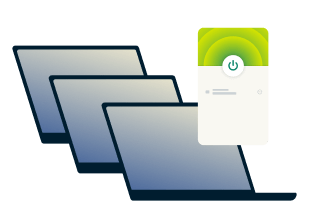
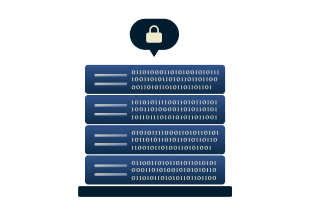
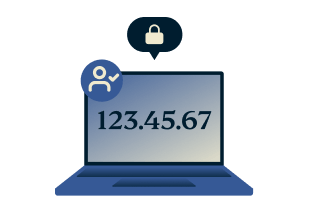
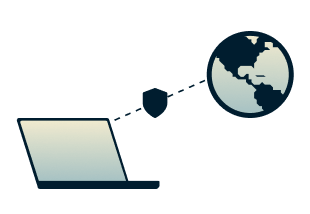
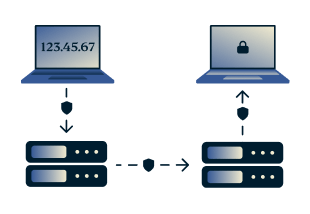
By understanding these advanced VPN features, you can maximize your VPN’s service and performance to ensure it’s optimized for your needs.
How do I get and use a VPN?
-
![How to sign up for ExpressVPN]()
Step 1
Sign up for ExpressVPN
Visit the order page and select the plan that’s right for you. All our plans are covered by our 30-day money-back guarantee for new users.
-
![Setup 6731c7d7c0332b5720e7e6a6fb8f8fc0]()
Step 2
Download a VPN app
You’ll be invited to download the VPN app for the device you’re using. Getting apps for all your other devices is just as easy.
-
![Us Location Globe US Latin America 3x 1 Dbae41dfcd7f2a124d4a8939f8253e62]()
Step 3
Connect to a server location
Hit the On button to instantly connect to the best location for your connection, or pick one from our global network.


Why choose ExpressVPN?
-
![43915922f51b35b9859648d2f3585b63]()
Locations in 105+ countries
Choose from VPN server locations in 105+ countries all over the world.
-
![C23b9258077ab97a7a260f0dc8603f34]()
Best-in-class encryption
Your data is protected by AES-256, the standard trusted by security experts.
-
![D9995993597d40ae5b3b53f17a35a9c8]()
24-hour live chat support
We're available anytime to help you with setup and troubleshooting.
-
![Db8c437d2758ddd6bbdad331e53e26a5]()
TrustedServer technology
With our innovative server technology, no data is ever written to a hard drive.
-
![29c027d5fc1d67d63cb447df136ad7f6]()
Lightning-fast speeds
Enjoy smoother, throttle-free browsing and gaming with ultra-fast speeds.
-
![C54a51603b7c1c88c404359fc6d4defb]()
Use on up to 14* devices simultaneously
Install ExpressVPN on all your devices and connect up to 14* at once with a single subscription.
-
![53f7422cf049e2629e265d792b8376a2]()
Independently audited
Third-party assessments verify our security claims through rigorous testing of our apps and systems.
-
![5c35cae1bfe6cdd4dd51a726d5cbb828]()
No activity or connection logs
ExpressVPN does not and will never log traffic data, DNS queries, or anything that could be used to identify you.


*See device details here.
Greater data protection with Identity Defender
ExpressVPN plans for U.S. users come with Identity Defender tools, designed to give you more control over your personal information.
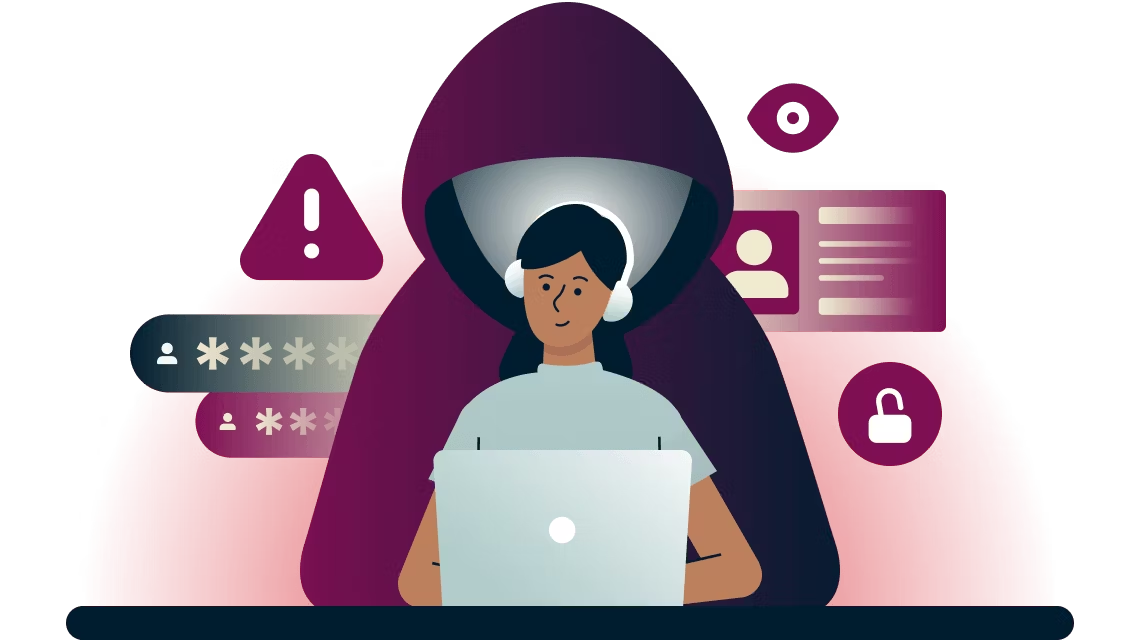
Identity Defender services help you find suspicious activities surrounding your personal data, monitor your credit, remove your information from online sites, and protect you with identity theft insurance.
Note: The various ExpressVPN plans come with different Identity Defender tools. They are currently only available to U.S.-based ExpressVPN users who purchase plans after Oct. 28, 2024. However, we plan to extend access to other users very soon.
FAQ
What is a VPN?
A VPN, or Virtual Private Network, is a tool that encrypts your internet traffic and hides your IP address. By routing your data through a secure server, it protects your online privacy and prevents unauthorized access. VPNs also let you safely access your accounts, whether you’re at home, traveling, or using public Wi-Fi.
What does VPN mean?
VPN stands for "Virtual Private Network." It refers to a secure, private connection established over the internet. This network encrypts your online activities, making them unreadable to hackers, advertisers, or anyone monitoring your connection. VPNs also let you mask your IP address, which enhances your privacy and gives you more control over your online experience.
What is the purpose of a VPN?
The primary purpose of a VPN is to protect your privacy by encrypting your internet traffic and concealing your IP address. This ensures your personal data is secure, even on public Wi-Fi. VPNs also help you safeguard sensitive information, such as banking details, from cyber threats like hackers or data breaches.
How does a VPN work?
A VPN works by creating an encrypted “tunnel” between your device and a remote VPN server. Your data travels through this secure connection, preventing unauthorized access. The VPN server assigns you a new IP address, masking your location and identity. This process ensures your online activities remain private and safe, even when using unsecured networks like public Wi-Fi.
What is a VPN used for?
VPNs are versatile tools people use to enhance their privacy, secure their data on public Wi-Fi, and even save some money. They protect your sensitive information from hackers and can help you manage your online identity better so trackers and advertisers can’t accurately profile you.
What is a secure VPN?
A secure VPN prioritizes your privacy with advanced encryption, a strict no-logs policy, and additional features like multi-hop connections or RAM-only servers. These features ensure your data isn’t tracked or stored. Secure VPNs also protect against DNS leaks and provide stable, fast connections for safe browsing, streaming, and downloading without sacrificing performance or security.
What is a VPN connection?
A VPN connection is the secure, encrypted link established between your device and a VPN server. This connection protects your internet traffic from being intercepted or monitored. By routing your data through the VPN server, it masks your IP address and ensures your browsing remains private, even on insecure networks such as public Wi-Fi.
What is the difference between a proxy and a VPN?
A proxy server reroutes your internet traffic, masking your IP address but without encrypting your data. In contrast, a VPN offers comprehensive security by encrypting all your traffic. While proxies are suitable for simple tasks like looking up something online, VPNs provide robust protection against cyber threats, making them ideal for privacy-conscious users and secure online activities.
How much does a VPN cost?
VPN costs vary based on the provider and plan. Monthly subscriptions typically range from $5 to $15, with discounts for annual or multi-year plans, which can lower costs to $2–$5 per month. Some premium providers also offer free trials or money-back guarantees, allowing you to test their services before committing to a subscription.
What is a VPN number?
A VPN number often refers to the virtual IP address assigned to you when connected to a VPN. This number replaces your actual IP address, enhancing your online privacy and making it appear as though you’re browsing from the VPN server’s location. This feature is crucial for protecting your identity online.
What is a VPN concentrator?
A VPN concentrator is a specialized device or software used to manage multiple VPN connections simultaneously. It encrypts and decrypts data for secure remote access, making it essential for businesses that support remote work. By handling a large number of encrypted connections, it ensures employees can safely access company networks and resources from anywhere.
What is a VPN tunnel?
A VPN tunnel is the secure, encrypted pathway through which your internet traffic travels between your device and a VPN server. This encryption shields your data from hackers, ISPs, and other third parties, ensuring it remains private. By masking your IP address and securing your connection, the VPN tunnel helps you browse, stream, and share information safely.
What is a VPN provider?
A VPN provider is a company or service that supplies the tools and infrastructure to create a secure, private connection. They offer VPN servers, user-friendly apps, and encryption protocols to protect your internet activities. Reliable providers often include additional features like multi-hop connections, malware protection, and no-logs policies to enhance privacy and security.